
How to register at Slotorado Casino
Slotorado registration takes a few minutes and requires only basic personal details to get started. Once your account is created and verified, you can deposit, play, and withdraw. This page walks you through every step – from the sign-up form to identity verification and claiming your first bonus.
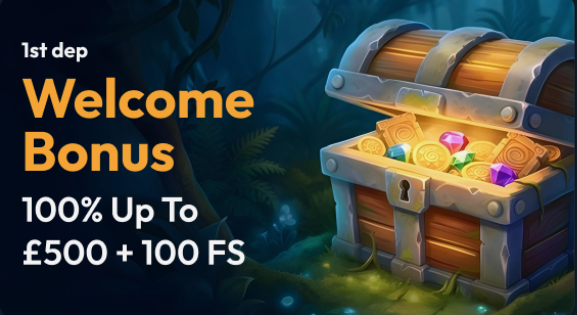
How to create a Slotorado Casino account
The Slotorado sign up process is done entirely online and does not require any software installation.
Click the “Register” button in the top right corner of the Slotorado homepage.
Enter your email address and choose a secure password for your account.
Fill in your personal details: first name, last name, date of birth, and home address.
Select your preferred currency – EUR is the standard option for Dutch players.
Read and accept the terms and conditions and the privacy policy.
Click the confirmation link sent to your email address to activate your account.
Log in with your new credentials and proceed to the cashier to make your first deposit.
Each field in the registration form must be filled in accurately. The name and address you enter must match the documents you will submit during identity verification. Entering incorrect details at this stage delays verification and may require you to contact customer support to correct the information.
What you need before you start
Before you open the registration form, make sure you have the following ready:
- A valid email address that you have access to, since Slotorado sends a confirmation link before your account is activated.
- A government-issued identity document, such as a passport or driving licence, for the verification step that follows registration.
- Your current home address, including postcode, as it will be checked against your proof of address document.
- Confirmation that you are 18 years of age or older, since Slotorado is only available to adults and age verification is mandatory under Dutch gambling law.
Having these items ready before you start means the form takes no more than five minutes to complete.
Verifying your identity (KYC)
Identity verification – also called KYC, or Know Your Customer – is a legal requirement for all licensed online casinos operating in the Netherlands. Slotorado requests documents after registration to confirm your identity, age, and address before processing any withdrawal. Account activation for gameplay is usually immediate, but withdrawals are held until verification is complete.
You need to upload the following documents through the verification section of your account:
| Document Type | Accepted Formats | Purpose |
|---|---|---|
| Passport | Photo page, clearly visible | Identity and age |
| National ID card | Front and back | Identity and age |
| Driving licence | Front and back | Identity and age |
| Utility bill | Issued within last 3 months | Proof of address |
| Bank statement | Issued within last 3 months | Proof of address |
All uploaded files must be clear, unedited, and show the full document without any corners cut off. Blurred or cropped images will be rejected and you will need to resubmit.
How long verification takes
Processing times depend on the volume of submissions and the quality of the documents you upload.
| Verification Stage | Typical Timeframe |
|---|---|
| Email confirmation | Immediate |
| Document submission review | Up to 24 hours |
| Address document review | Up to 24 hours |
| Full account activation | Up to 48 hours |
If your documents have not been reviewed after 48 hours, contact customer support through live chat or email and provide your account reference number. Submitting clear, high-resolution images the first time avoids delays at the review stage.
Claiming the welcome offer at registration

After completing registration and making your first deposit, you may qualify for the Slotorado welcome package. The offer includes deposit match bonuses and free spins, each with its own wagering conditions. Visit the bonuses page for full details on how the package works and what the playthrough requirements are.
If you have a promo code, enter it in the designated field during registration or in the cashier before your first deposit. Codes cannot be applied retroactively once a deposit has been made. Check the promo code for any currently active codes.
Common registration problems
| Problem | Solution |
|---|---|
| Confirmation email not received | Check your spam folder. If not there, request a new link from the login page. |
| Email address already in use | You may already have an account. Use the password recovery option on the login page. |
| Date of birth rejected | Ensure you meet the minimum age of 18. Accounts cannot be created for players under 18. |
| Address not accepted | Enter your address exactly as it appears on official documents, including postcode format. |
| Document upload failing | Use JPG or PNG files under 5 MB. PDF uploads are accepted for bank statements and bills. |
| Account locked after registration | Contact customer support with your email address to identify the cause. |